

Instagram Video Downloader
Copy the link to any public Instagram post and paste it below. The original MP4 comes back in a few seconds, at the quality Instagram published it, with nothing stamped on top of it.
Waiting for a link
Reading the link
This usually takes a few seconds.
Your video is ready
Tap a button below to save the file.
How to download
-
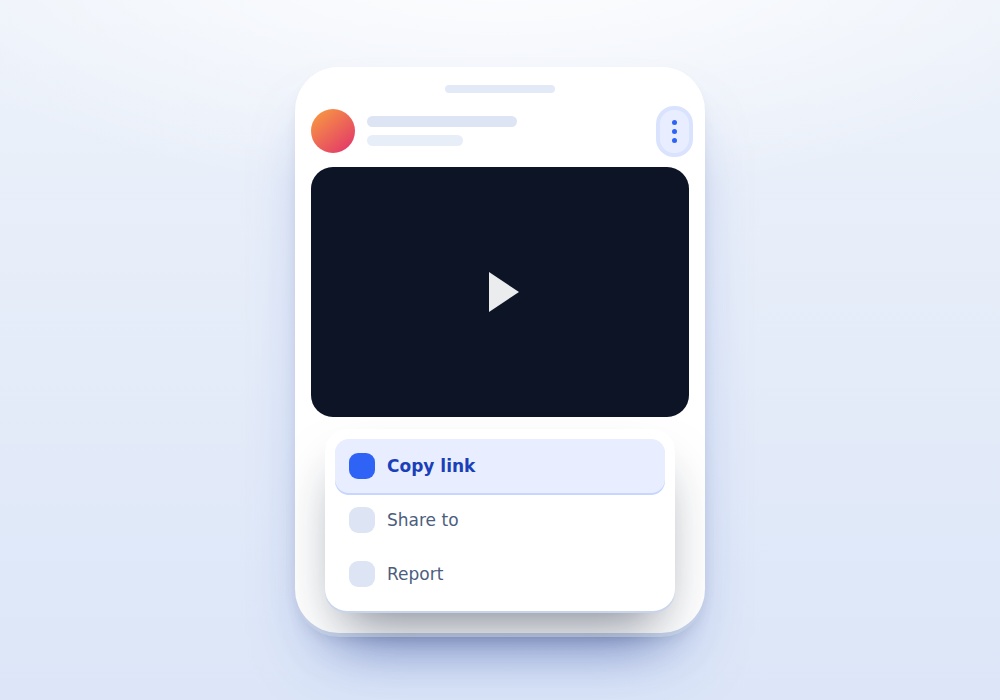
Copy the link
Open the post in the Instagram app, tap the three dots in the top corner and choose Copy link. On a computer, copy the address from the browser bar.
-
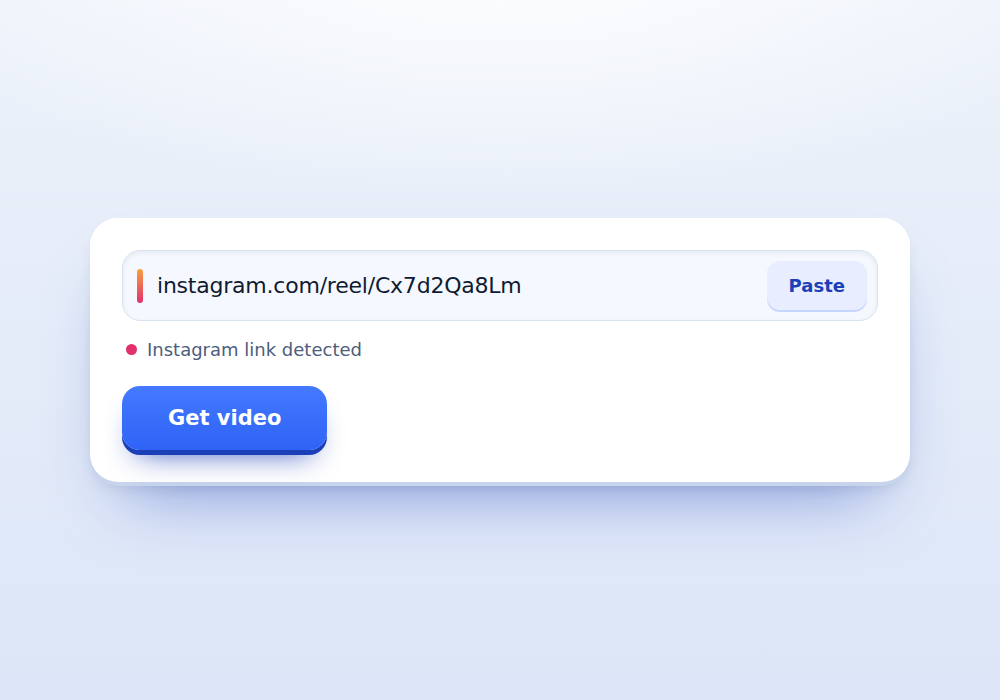
Paste it here
Tap the box above and use the Paste button. The dot on the left turns pink once it recognises an Instagram address.
-
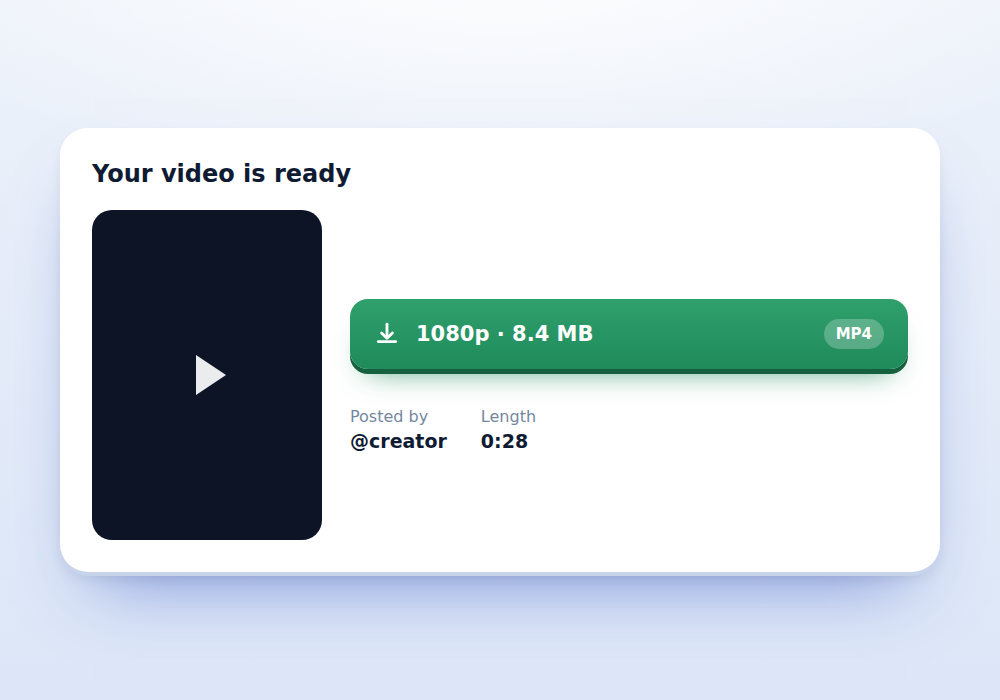
Save the file
Press Get video, wait for the preview to appear, then tap the download button under it. The MP4 lands in your normal downloads folder.
What you get
-
Nothing to install
It runs in the browser you already have. There is no app to sideload and no extension to trust.
-
No account needed
You never sign in, and we never ask for your Instagram password. Anything that does ask for it is worth walking away from.
-
The original file
You get the same MP4 Instagram serves to the app, not a re-encoded copy that softens the picture.
-
No added watermark
We do not brand the video. If a watermark is burned into the picture, the creator put it there, and it stays.
-
Works on any phone
The layout is built for a thumb first. Older Android browsers and Safari on iPhone are both handled.
-
Nothing kept
Links are held in a short cache so a viral post is not fetched twice, then dropped. There is no history and no account to leak.
What this downloader is for
Instagram is built to keep video inside Instagram. There is no save button on a post, and screen recording gives you a shaky copy with the interface baked into the frame. This page solves the narrow version of that problem: you have a link to a public post, and you want the video file behind it.
It is a fetcher, not a hack. When you paste a link, our server asks Instagram for that post exactly the way a search engine crawler does, reads the video address out of the response, and hands it to you. If Instagram will not show the post without a login, neither will we.
Instagram links that work here
Instagram uses several address formats depending on where you copied from. All of the following are accepted:
- instagram.com/p/CODE for standard feed posts
- instagram.com/reel/CODE and instagram.com/reels/CODE for Reels
- instagram.com/tv/CODE for older IGTV uploads
- instagram.com/username/p/CODE and the same shape with reel
- instagr.am and ig.me short links
Extra tracking text after a question mark is fine, so a link ending in ?igsh=abc123 still works. What does not work is a profile address on its own, a Stories link, or a link to the Explore grid, because none of those point at a single video.
If you only want Reels, the dedicated Instagram Reels Downloader page has the same engine with guidance written specifically for vertical clips.
Finding the link on each device
On iPhone and Android the fastest route is the same. Tap the three dots above the post, choose Copy link, then come back here and press Paste. The share sheet also works: choose Share to, then Copy link.
On a desktop browser, open the post so it fills the screen and copy the address from the URL bar. Right clicking the video itself will not give you a usable address, because Instagram serves the file through a blob reference that expires the moment the tab closes.
If you received the post inside a direct message, open it in the app first and use the three dot menu from there. Copying the DM preview gives you a message reference, not a post link.
Why you usually see one quality, not six
Sites that offer 1080p, 720p, 480p and 240p buttons for the same clip are either re-encoding the video on their own servers or offering silent streams. Instagram publishes exactly one MP4 that has both picture and sound. Everything else in the delivery bundle is a video-only stream meant to be paired with a separate audio track by the app.
We show you the real file and label it with its real height, read from the video header rather than guessed. If a post genuinely has more than one complete file, you will see more than one button. Most of the time there is one, and it is the best one.
What it will not do
Private accounts stay private. If the poster has locked their profile, Instagram refuses to serve the post to anyone who is not an approved follower, and there is no way around that which does not involve handing over someone credentials. We will not build that and you should not use a site that has.
Age restricted posts behave the same way. Instagram gates them behind a login, so the fetch comes back empty and the page tells you exactly why instead of pretending the link was broken.
Stories, Highlights and photo carousels are also out of scope. Stories vanish on a timer and are tied to your session, and a photo post has no video to hand over.
Where the file ends up
On Android, saved files go to the Download folder and appear in your Files app straight away. To get the clip into your gallery, open it once from Files and most galleries will pick it up, or move it into the Movies folder.
On iPhone, Safari saves to the Downloads folder inside the Files app rather than the camera roll. Open Files, tap Downloads, long press the video and choose Save to Photos if you want it in your camera roll.
On a computer the file goes wherever your browser normally puts downloads, and the filename is built from the post so you can tell two clips apart later.
Downloading is not the same as owning
Having the file does not give you the right to use it. The person who filmed and posted the video holds the copyright, and Instagram terms allow personal use of content you have permission to use. Saving a clip to watch on a flight is a very different act from cutting it into a video you monetise.
The safe habit is simple. Ask before you repost, credit the creator by handle when you share, and take the clip down if they ask. If you are collecting reference material for work, keep a note of where each file came from so you can trace it later.
Frequently asked questions
Do I need to log in to Instagram?
No. You never sign in here, and you should never give your Instagram password to any downloader. Everything on this page works with public posts only, which by definition need no login.
Can I download from a private account?
No. Instagram will not serve a private post to anyone outside the approved follower list, so the fetch comes back empty. The only legitimate way in is to follow the account and screen record for yourself.
Will the video have a watermark?
We do not add one. Some creators burn a handle or logo into their own footage, and Reels shared from other apps often arrive with those marks already baked in. Those cannot be removed without damaging the picture.
Is there a limit on how many videos I can save?
There is a fair use limit of a few lookups per minute so one visitor cannot tie up the server. Normal use never touches it. If you do see a wait message, give it a minute.
Does the video keep its sound?
Yes. The file we hand you is the complete MP4 with the audio track intact, which is why there is usually one quality option rather than a long list.
Can I download an Instagram photo?
Not here. This tool reads video streams, so a photo post or the photo slides of a carousel return an empty result. Only the video slides can be fetched.
Do you keep the links I paste?
Resolved videos sit in a short server cache so a popular link is not fetched from Instagram over and over, and that cache clears itself within the hour. There is no account, no history page and no log tied to you.